
This article applies to users with one of the following roles:
- Administrators
- Agent Administrators
- Branch Managers
- Agents
The primary entry point to MoveIT and to create quotes and referrals is changing. All quotes and referrals will be created directly from a customer’s profile and will be linked to individual Moves.
Let’s see how it works…
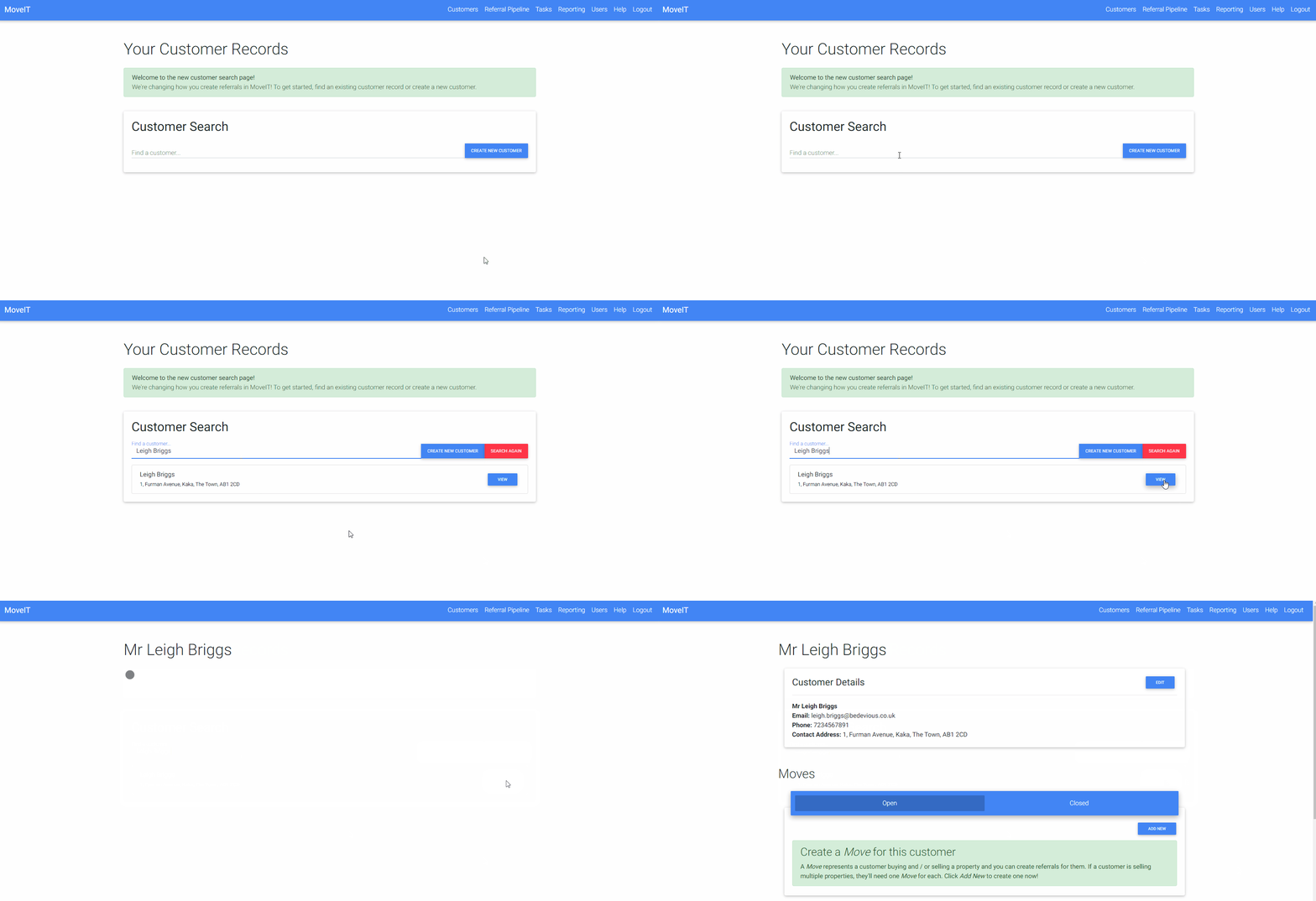
Lookup an existing customer record
Looking up existing customer records is straightforward and will allow you to find both customers that have been imported from your CRM / property management system as well as those that have been created in MoveIT:
Create a new customer record
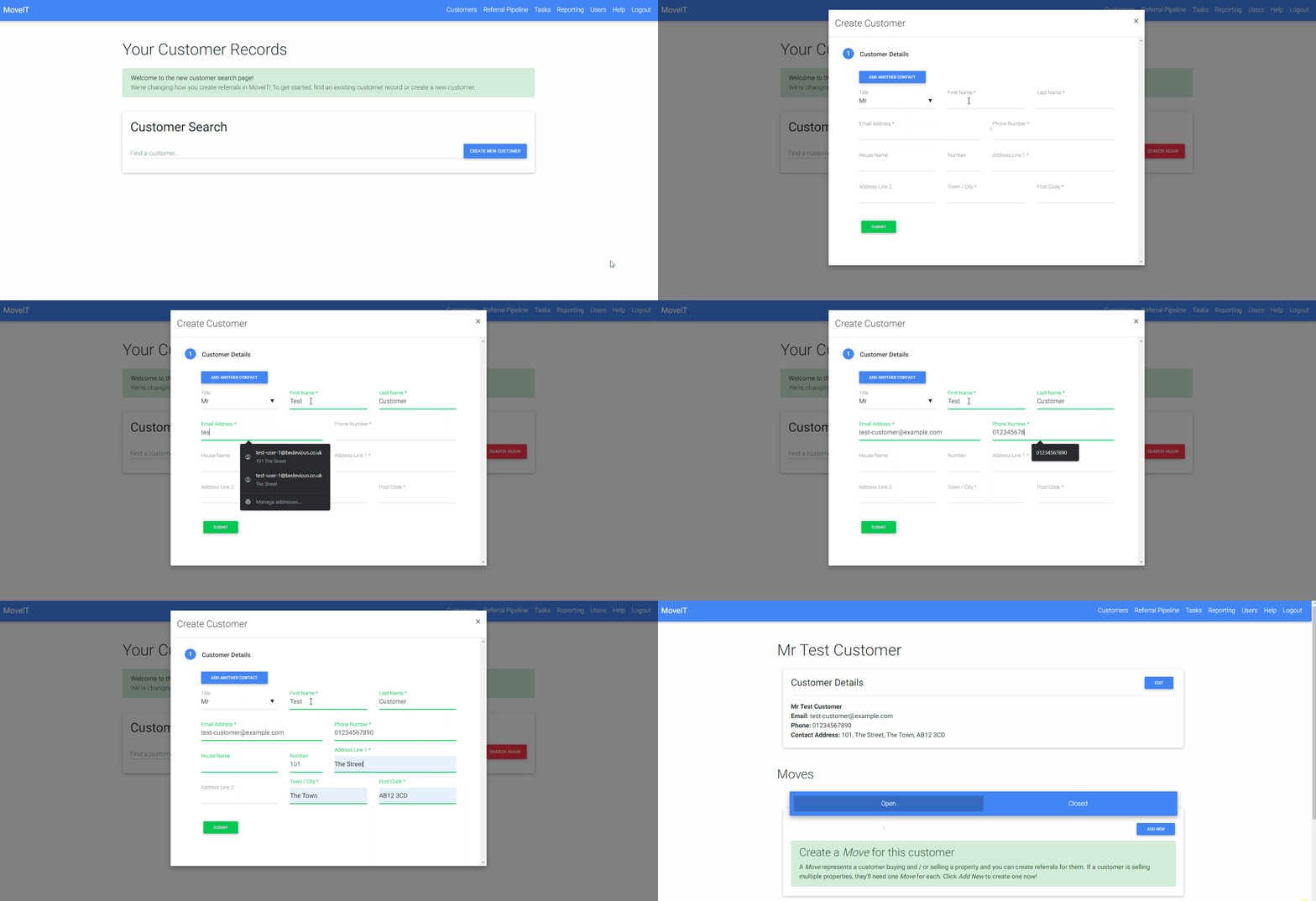
For agencies that do not import customer records, or for scenarios where you need to refer a customer who will not be registered in your CRM / property management system for some reason, you can create a new customer record:
Edit a customer record
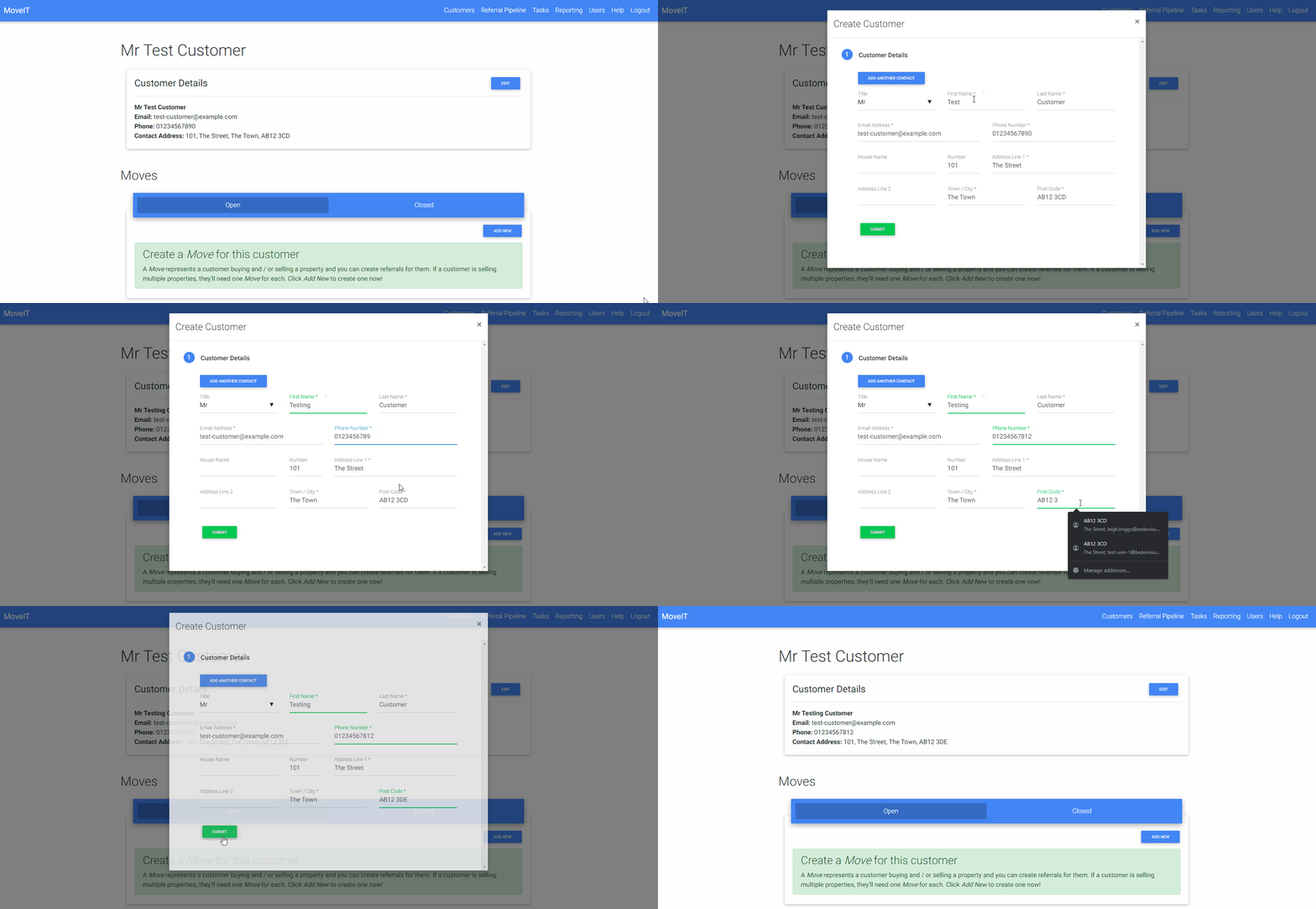
Customer records that have been created in MoveIT can be edited in MoveIT. If you need to update the details of a customer that was imported from your CRM / property management system, you will need to update their details in that system and the changes will be synced with MoveIT automatically:
What is a “Move“?
A Move is a new concept that helps visualise the purchases and sales being made by a customer and what services have been referred for each. For example a typical customer may be selling one property and buying another. This is one Move and the sale and purchase will be linked to it. The customer can then be referred for services relating to the sale and purchase at once.
If the customer moves again, their new sale and purchase will be linked to a new Move.
In other cases, perhaps less common, a customer may be selling multiple properties, here each would be linked to it’s own move and services can be referred for each of the Moves in turn.
Create, Close and Re-open Moves
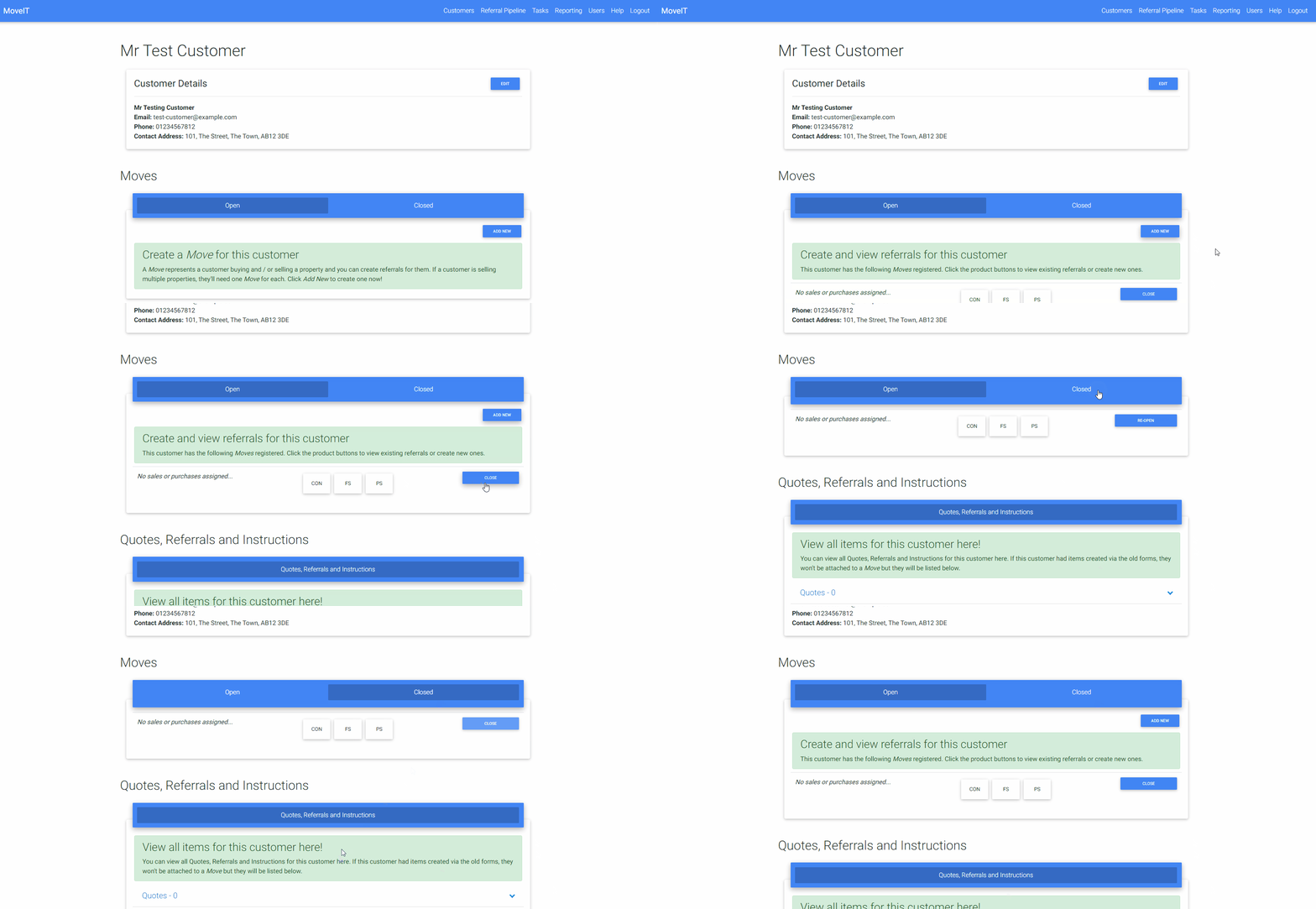
Creating a Move is a one click task. A Move can be closed if necessary, this has no effect other than to archive the Move and display it on the Closed tab rather than the Open tab and can be used to help keep a customer’s page tidy if required:
Create a Quote and / or Referral
Now that we have our customer record and our Move created we can start referring the customer for services.
To start you simply click on the button for the relevant product. This will display a small window containing the current details saved to the Move as well as any quotes, referrals and instructions (where applicable) that already exist for this product for the customer.
To create a new quote or referral, click the New Quote or New Referral button as appropriate. You will then be presented with a form with one or more sections to complete in order to proceed.
The form will be pre-populated with information that has already been collected, so if you’ve already entered information about a property for conveyancing for example, when referring the customer for financial services, you’ll only need to add the extra information required for that product.
// gif goes here…
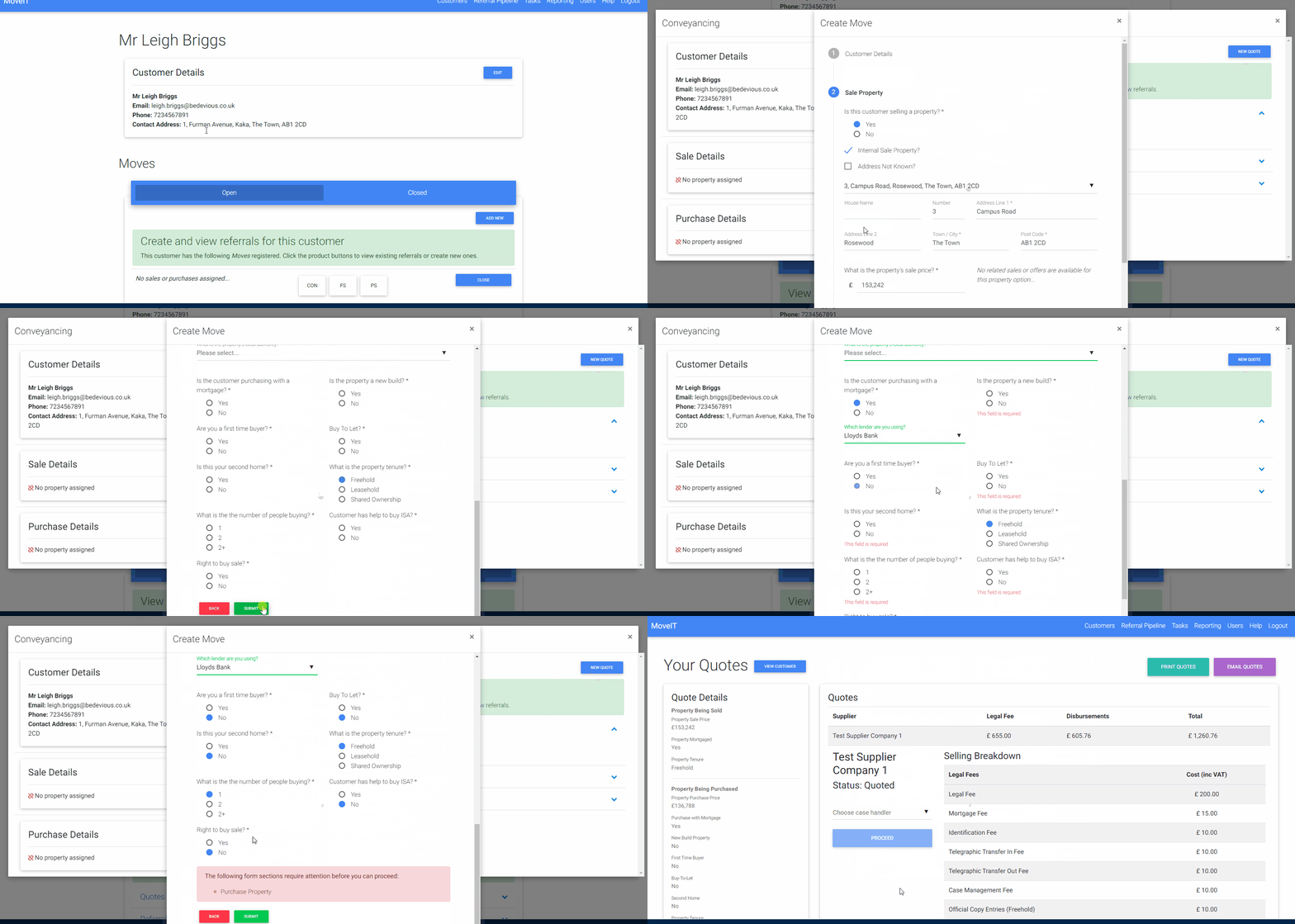
Be sure to complete any required information, but if you miss anything the form will let you know which section needs your attention and highlight any missing information in red.
View Existing Quotes, Referrals and Instructions
You are able to view existing / past quotes, referrals and instructions for a customer in two places:
- At the bottom of the customer page, these will show all items regardless of product and Move.
- By clicking on a product button on any Move you will see any items related to that Move.
Once you have started interacting with a product on a Move the product button will display a traffic light colour depending on it’s status:
| Colour | Description |
|---|---|
| Green | A referral for the product has been sent and no action on behalf of the agent is required. |
| Amber | The process of referring a customer for a product has been started but some action may be required, e.g. quotes have been generated for conveyancing but no referral has been sent. |
| Red | The process of referring a customer for a product has been start but action is required, e.g. a referral was sent but was declined by the supplier. |
FAQs
Will quotes, referrals and instructions I created be visible on the new customer screens?
Quotes, referrals and instructions that were linked to a customer record from your CRM / property management software will be visible on the customer screen but they will not be linked to a Move. Any items created using the old Create New Customer button will not be linked to a customer. These items will still be visible in the Referral Pipeline as normal.